Convert JPG to PDF Online Free — Image to PDF in Seconds

Transform one or more JPG images into a high-quality PDF directly in the browser. Drag your photos, set the page size and download the ready PDF in seconds. Free, no account, no server upload.

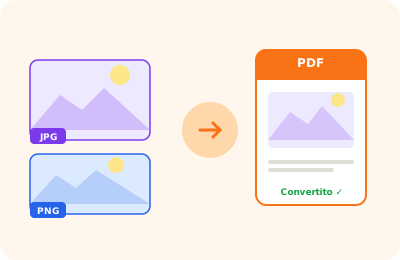
Image to PDF conversion illustration: JPG/PNG photo transformed into a PDF document

Drag your JPG images here

or drag the file here

100% private
Instant
Free

or open the full PDF editor for annotations, signatures and much more.

How it works

Upload your images

Select one or more JPG files from your device or drag them into the upload area.

Set the options

Choose the page format (A4, Letter or fit to image size) and export quality.

Download the PDF

Click "Convert to PDF" and the document is generated and downloaded instantly.

Why OnlinePdfEditor

100% Private

Everything runs in the browser via WebAssembly. Your PDF is never sent to any server.

Instant

No upload, no queue. Processing is local and completes in seconds even for large files.

Free, no tricks

No required account, no credit card, no watermark. Truly free.

Works everywhere

PC, Mac, iPhone, Android — just a modern browser. Safari, Chrome, Firefox or Edge.

Converting JPG images to PDF is useful for creating documents from photos on your device, assembling a photo portfolio, or archiving images in a standard format. OnlinePdfEditor converts one or more JPG images into a single PDF file, with each image on a separate page.

You can upload multiple files at once and reorder them before conversion. The PDF page format automatically adapts to the image dimensions, or you can choose a standard format (A4, Letter) with images resized to fit.

Conversion happens in the browser, without uploading images to external servers.

Frequently asked questions

Can I convert multiple JPGs into a single PDF?

Yes. You can upload multiple JPG images at once and they will be combined into a single PDF document, one per page.

Is the image quality reduced in the PDF?

No. Images are embedded in the PDF keeping the original resolution. You can choose between high quality (larger file) or balanced.

Does it work with JPEG images too?

Yes. JPEG and JPG are the same format. You can upload files with both extensions.

Are my files uploaded to a server?

No. The conversion happens entirely in the browser. Your images never leave your device.

What is the maximum image size?

In the free version you can convert images up to 20 MB each. With the Pro plan there are no limits.

Does it work on smartphones?

Yes. You can convert JPG to PDF from iPhone or Android using Safari or Chrome.

Ready to start?

Free, in the browser, nothing to install. Upload your PDF and go.

This site uses technical cookies and Google Analytics to improve your experience. & .