PDF to Word Exact Layout — Convert Keeping the Original Design

Convert your PDF into a Word document (.docx) with a layout identical to the original. Every page is rendered as a high-resolution image and embedded in the .docx: the result is visually perfect, ideal for presentations and formal documentation.

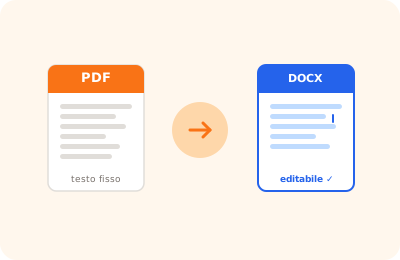
PDF to Word exact layout illustration: PDF converted to Word document preserving original layout

Drag the PDF to convert to Word here

or drag the file here

100% private
Instant
Free

or open the full PDF editor for annotations, signatures and much more.

How it works

Upload your PDF

Select the PDF you want to convert to Word with identical layout.

Render the pages

Every page is rendered as a high-resolution image (2×).

Download the .docx

The Word file with pages as images is downloaded ready to open.

Why OnlinePdfEditor

100% Private

Everything runs in the browser via WebAssembly. Your PDF is never sent to any server.

Instant

No upload, no queue. Processing is local and completes in seconds even for large files.

Free, no tricks

No required account, no credit card, no watermark. Truly free.

Works everywhere

PC, Mac, iPhone, Android — just a modern browser. Safari, Chrome, Firefox or Edge.

How it works

PDF to Word conversion with precise layout is designed for documents with complex formatting: multiple columns, elaborate tables, headers and footers, text over images. The goal is to preserve the visual structure of the original document in the resulting .docx file.

This mode differs from standard conversion, which extracts only text with basic formatting. Precise layout mode uses absolutely positioned text boxes in the Word document, replicating the spatial arrangement of elements as they appear in the PDF. The advantage is visual fidelity; the drawback is that text in text boxes is less fluid to edit than in a normal Word document — resizing columns or adding a paragraph requires manual adjustments.

Typical use cases: pre-filled PDF forms to return as .docx, posters or flyers that must maintain their graphic appearance, certificates with fixed layout, and any document where element positioning is part of the content. For plain text documents like minutes, contracts, or reports without complex layout, use standard Word conversion instead — it produces a much more editable .docx.
Frequently asked questions

Perché il testo nel .docx generato è difficile da modificare?

La modalità layout preciso inserisce il testo in text box posizionate assolutamente, come nel PDF originale. Questo garantisce fedeltà visiva ma rende il documento meno fluido da editare rispetto a un Word normale. Per documenti di solo testo usa la conversione standard.

Funziona con PDF che hanno immagini di sfondo e testo sovrapposto?

Sì. pdf.js estrae separatamente lo strato immagine e lo strato testo. L'immagine diventa sfondo della text box o elemento separato, il testo viene posizionato sopra. Il risultato è visivamente fedele anche per layout complessi come certificati o brochure.

Why is the text in the generated .docx hard to edit?

Precise layout mode places text in absolutely positioned text boxes, mirroring the PDF layout. This ensures visual fidelity but makes the document less fluid to edit than normal Word. For plain text documents use standard conversion instead.

Does it work with PDFs that have background images and overlaid text?

Yes. pdf.js extracts the image layer and text layer separately. The image becomes the text box background or a separate element, with text positioned on top. The result is visually faithful even for complex layouts like certificates or brochures.

When should I use "Word exact layout" instead of "Word text"?

Use "Word exact layout" when you need the output to look exactly like the PDF: brochures, forms, formal documentation with complex tables or columns. Use "Word text" when you need to edit the text in the resulting document.

Is the text selectable or editable in the .docx?

No. Pages are embedded as high-resolution images (2×): the layout is identical to the original but the text is not editable. If you need editable text, use the "Convert to Word" tool.

Is the file uploaded to a server?

No. The conversion is completely local in your browser. Your PDF never leaves your device.

Ready to start?

Free, in the browser, nothing to install. Upload your PDF and go.

This site uses technical cookies and Google Analytics to improve your experience. & .