Convert PowerPoint to PDF Online Free — .pptx to PDF

Convert PowerPoint presentations (.pptx, .ppt) into high-quality PDFs directly in the browser. Slides, text, images and transitions are preserved in the final document. Free, no Office installation needed, no server upload.

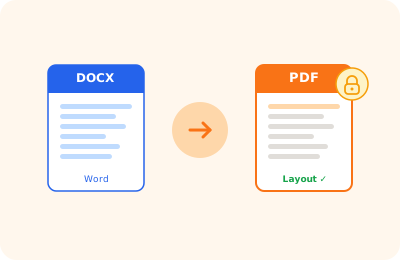
PowerPoint to PDF conversion illustration: .pptx presentation transformed into a PDF document

Drag your PowerPoint presentation here

or drag the file here

100% private
Instant
Free

or open the full PDF editor for annotations, signatures and much more.

How it works

Upload the presentation

Drag the .pptx or .ppt file into the upload area. Local processing, no upload.

Convert to PDF

Each slide becomes a PDF page with text, images and layout preserved.

Download the PDF

The presentation in PDF format is downloaded to your device in seconds.

Why OnlinePdfEditor

100% Private

Everything runs in the browser via WebAssembly. Your PDF is never sent to any server.

Instant

No upload, no queue. Processing is local and completes in seconds even for large files.

Free, no tricks

No required account, no credit card, no watermark. Truly free.

Works everywhere

PC, Mac, iPhone, Android — just a modern browser. Safari, Chrome, Firefox or Edge.

Converting a PowerPoint presentation to PDF is the most common way to share slides with people who do not have PowerPoint installed, ensuring the visual appearance remains unchanged. OnlinePdfEditor converts .pptx files to PDF directly in the browser, with each slide on a separate page.

The conversion preserves texts, images, shapes and slide layouts. The resulting PDF is compatible with all viewers and can be shared by email, uploaded to presentation platforms, or printed.

The process happens locally in the browser without transmitting the file to external servers.

Frequently asked questions

Does each slide become a page in the PDF?

Yes. Each slide in the PowerPoint presentation corresponds to one page in the resulting PDF.

Does it support .pptx and .ppt?

Yes. Both the modern .pptx format (PowerPoint 2007+) and the older .ppt (PowerPoint 97-2003) are supported.

Are animations and transitions included?

PDF is a static format: animations and transitions are not included. Each slide is exported in its default state.

Do I need PowerPoint installed?

No. The conversion happens in the browser via WebAssembly libraries. No installation required.

Are my files uploaded to a server?

No. Everything happens locally in the browser. The file never leaves your device.

Ready to start?

Free, in the browser, nothing to install. Upload your PDF and go.

This site uses technical cookies and Google Analytics to improve your experience. & .