Convert PDF to JPG Online — PDF to Image for Free

Transform every page of your PDF into a high-resolution JPG or PNG image, directly in the browser. No quality loss, no server upload. Perfect for previews, presentations, social media and quick sharing.
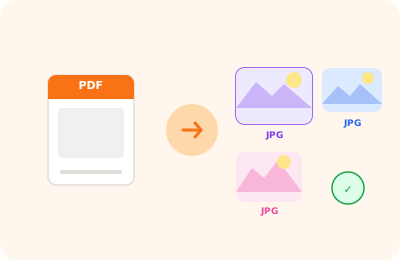
PDF to JPG conversion illustration: PDF page transformed into a JPG image

Drag the PDF to convert to image here

or drag the file here

100% private
Instant
Free

or open the full PDF editor for annotations, signatures and much more.

How it works

Upload your PDF

Select the PDF to convert. The file is processed locally on your device.

Choose the format

JPG (compressed, ideal for sharing) or PNG (lossless, ideal for high quality). Export all pages or just the one you need.

Download the images

Images are downloaded as a ZIP archive or individually, ready for immediate use.

Why OnlinePdfEditor

100% Private

Everything runs in the browser via WebAssembly. Your PDF is never sent to any server.

Instant

No upload, no queue. Processing is local and completes in seconds even for large files.

Free, no tricks

No required account, no credit card, no watermark. Truly free.

Works everywhere

PC, Mac, iPhone, Android — just a modern browser. Safari, Chrome, Firefox or Edge.

Converting PDF pages to JPG images is useful for sharing individual pages on social media, inserting them into presentations, or using them as previews. OnlinePdfEditor converts each PDF page to a high-resolution JPG file, directly in the browser without uploading anything online.

You can choose the output resolution (72, 150 or 300 DPI) depending on the final use: 72 DPI for the web, 150 DPI for high-density screens, 300 DPI for printing. The result is a ZIP archive with one JPG per page of the document.

Conversion is done via the PDF.js rendering engine — the same used by Firefox and Chrome — which ensures faithful reproduction of the original document.

Frequently asked questions

What is the resolution of exported images?

OnlinePdfEditor exports at 2× (Retina) resolution, approximately 144–150 DPI. The result is sharp for digital use, presentations and websites.

JPG or PNG — which is better?

JPG is perfect for photographic images and documents with many gradients: lighter files with minimal quality loss. PNG is better for documents with text, logos and sharp-edged graphics because it is lossless.

Can I convert just a specific page?

Yes. Use the "Export single JPG/PNG page" function to choose a precise page from the selector, without having to convert the entire document.

Is the PDF uploaded to the internet?

No. The conversion happens in your browser via PDF.js. The file never leaves your device.

Can I use the images on social media?

Yes. Images exported as JPG or PNG are ready to upload to Instagram, LinkedIn, Facebook, Twitter or any other social platform.

Ready to start?

Free, in the browser, nothing to install. Upload your PDF and go.

This site uses technical cookies and Google Analytics to improve your experience. & .