PDF to Word Exact Layout — Convert Keeping the Original Design

Convert your PDF into a Word document (.docx) with a layout identical to the original. Every page is rendered as a high-resolution image and embedded in the .docx: the result is visually perfect, ideal for presentations and formal documentation.

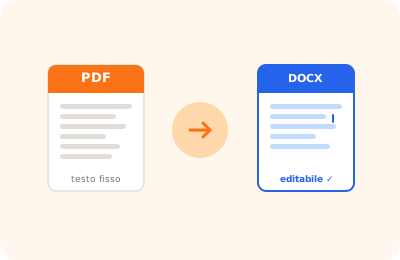
PDF to Word exact layout illustration: PDF converted to Word document preserving original layout

Drag the PDF to convert to Word here

or drag the file here

100% private
Instant
Free

or open the full PDF editor for annotations, signatures and much more.

How it works

Upload your PDF

Select the PDF you want to convert to Word with identical layout.

Render the pages

Every page is rendered as a high-resolution image (2×).

Download the .docx

The Word file with pages as images is downloaded ready to open.

Why OnlinePdfEditor

100% Private

Everything runs in the browser via WebAssembly. Your PDF is never sent to any server.

Instant

No upload, no queue. Processing is local and completes in seconds even for large files.

Free, no tricks

No required account, no credit card, no watermark. Truly free.

Works everywhere

PC, Mac, iPhone, Android — just a modern browser. Safari, Chrome, Firefox or Edge.

PDF to Word conversion with precise layout is designed for documents with complex pagination: multiple columns, elaborate tables, headers and footers, text over images. The goal is to preserve the visual structure of the original document in the resulting .docx file.

This mode is distinct from standard conversion, which extracts only text with basic formatting. The precise layout mode analyses the position of elements and tries to recreate it in Word using text boxes, columns and paragraph styles.

Best results are obtained with PDFs generated from Word or professional layout software. Scanned PDFs or those with text as an image require the OCR step first.

Frequently asked questions

When should I use "Word exact layout" instead of "Word text"?

Use "Word exact layout" when you need the output to look exactly like the PDF: brochures, forms, formal documentation with complex tables or columns. Use "Word text" when you need to edit the text in the resulting document.

Is the text selectable or editable in the .docx?

No. Pages are embedded as high-resolution images (2×): the layout is identical to the original but the text is not editable. If you need editable text, use the "Convert to Word" tool.

Is the file uploaded to a server?

No. The conversion is completely local in your browser. Your PDF never leaves your device.

Ready to start?

Free, in the browser, nothing to install. Upload your PDF and go.

This site uses technical cookies and Google Analytics to improve your experience. & .