Compress PDF Online — Reduce PDF File Size for Free

Reduce your PDF file size directly in the browser, without uploading anything to external servers. Save space, send lighter email attachments and share on WhatsApp or Drive in seconds. No installation, no account, no page limits.
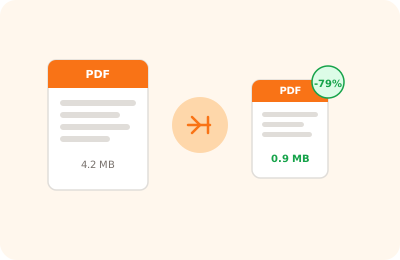
Compress PDF tool illustration: PDF file with downward arrow indicating file size reduction

Drag your PDF here to compress it

or drag the file here

100% private
Instant
Free

or open the full PDF editor for annotations, signatures and much more.

How it works

Upload your PDF

Drag the file into the area above or click to browse your files. The document stays on your device.

Choose quality

Select the compression level: high quality for printing or reduced quality for a lighter, faster-to-share file.

Download for free

Click "Compress PDF" and the optimised file is downloaded instantly. Zero waiting, zero upload.

Why OnlinePdfEditor

100% Private

Everything runs in the browser via WebAssembly. Your PDF is never sent to any server.

Instant

No upload, no queue. Processing is local and completes in seconds even for large files.

Free, no tricks

No required account, no credit card, no watermark. Truly free.

Works everywhere

PC, Mac, iPhone, Android — just a modern browser. Safari, Chrome, Firefox or Edge.

Compressing a PDF means reducing the file size by optimising embedded images and simplifying the document's internal structure. It is useful whenever you need to send an email attachment, upload documents to portals with size limits, or share files on messaging apps like WhatsApp and Telegram.

OnlinePdfEditor's tool runs entirely in the browser via WebAssembly: your files are never transmitted to external servers. It supports PDFs with JPEG, PNG and TIFF images, vector graphics and embedded fonts. Text and layout remain identical after compression — only images are optimised.

Unlike cloud solutions such as Adobe Acrobat or Smallpdf, your documents stay completely private here because they never leave your device. No account required, no data transmitted online.

Frequently asked questions

How much can I reduce a PDF size?

It depends on the content: a PDF with many high-resolution images can shrink by 50–80%. A text-only PDF typically reduces by 10–30%. OnlinePdfEditor optimises embedded images while maintaining high visual quality.

Does the compressed PDF lose visual quality?

Standard mode optimises images without appreciable visible loss. There is also a more aggressive mode that reduces size further with a slight sharpness loss, useful when file size matters more than print quality.

Are my files uploaded to a server?

No. OnlinePdfEditor processes your PDFs entirely in the browser via WebAssembly. The file never leaves your device: it is 100% private and secure.

Can I compress password-protected PDFs?

Yes, but you will need to enter the password to unlock the document before compression. The compressed PDF will keep its original protection.

Is there a file size limit?

In the free version the recommended limit is 50 MB. With the Pro plan you can work with larger files without restrictions.

Does it work on Mac, iPhone and Android?

Yes. Just a modern browser: Chrome, Safari, Firefox or Edge. No installation needed — works on any OS including smartphones and tablets.

Ready to start?

Free, in the browser, nothing to install. Upload your PDF and go.

This site uses technical cookies and Google Analytics to improve your experience. & .