Export Single PDF Page to JPG — PDF to JPG for Free

Export a single page of your PDF as a high-resolution JPG image, without having to convert the entire document. Choose the page from the menu, click and download. Free, in the browser.
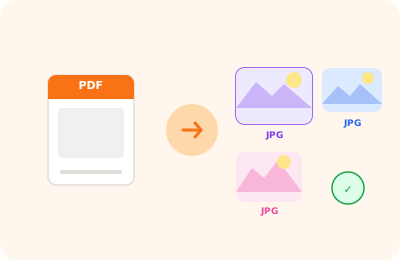
Export JPG page illustration: single PDF page saved as a JPG image

Drag your PDF here

or drag the file here

100% private
Instant
Free

or open the full PDF editor for annotations, signatures and much more.

How it works

Upload your PDF

Select the PDF containing the page you want to export as JPG.

Choose the page

Select the page number from the dropdown menu.

Download the JPG

The selected page is exported as a JPG (92% quality) in a few seconds.

Why OnlinePdfEditor

100% Private

Everything runs in the browser via WebAssembly. Your PDF is never sent to any server.

Instant

No upload, no queue. Processing is local and completes in seconds even for large files.

Free, no tricks

No required account, no credit card, no watermark. Truly free.

Works everywhere

PC, Mac, iPhone, Android — just a modern browser. Safari, Chrome, Firefox or Edge.

Exporting a single PDF page as JPG is useful when you need just one image from the document: the cover, a specific page, or an illustration. Unlike multi-page export, this feature produces a single JPG file ready for immediate use.

You can choose which page to export and the output resolution. The operation happens in the browser via the PDF.js rendering engine, ensuring faithful reproduction of the original layout.

The JPG file produced is compatible with all graphics programmes, image editors and social platforms.

Frequently asked questions

Can I choose the JPG quality?

The tool uses 92% quality, optimal for balancing sharpness and file size.

How do I export all pages?

Use the "Export JPG" (all pages) tool, which downloads every page as a separate JPG file.

Is the file sent to a server?

No. The conversion happens in your browser via PDF.js. Your document is safe on your device.

Ready to start?

Free, in the browser, nothing to install. Upload your PDF and go.

This site uses technical cookies and Google Analytics to improve your experience. & .