Merge PDF Online — Combine Multiple PDF Files for Free

Merge two or more PDFs into a single document in seconds, directly in the browser. Reorder pages with drag & drop, then download the combined file. No account, no server, no page limits in the free version.
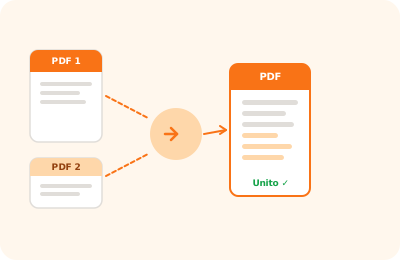
Merge PDF tool illustration: multiple PDF documents merging into a single file

Drag your first PDF here

or drag the file here

100% private
Instant
Free

or open the full PDF editor for annotations, signatures and much more.

How it works

Upload your PDFs

Select multiple PDF files at once or add them one by one by dragging them into the upload area.

Reorder pages

Drag the thumbnails to set the page order in the final document. Every change is shown in real time.

Download the merged PDF

Click "Merge PDF": the combined file is downloaded instantly, without ever passing through external servers.

Why OnlinePdfEditor

100% Private

Everything runs in the browser via WebAssembly. Your PDF is never sent to any server.

Instant

No upload, no queue. Processing is local and completes in seconds even for large files.

Free, no tricks

No required account, no credit card, no watermark. Truly free.

Works everywhere

PC, Mac, iPhone, Android — just a modern browser. Safari, Chrome, Firefox or Edge.

Merging multiple PDFs into a single file is one of the most common document management tasks: contracts with attachments, multi-section reports, presentations made up of separate files. With OnlinePdfEditor you can do it directly in the browser, with no software to install and no account to create.

The process is straightforward: upload the files in the order you want, rearrange pages with drag & drop if needed, and download the final document. Everything happens locally on your device via WebAssembly — no files are uploaded to any server.

Metadata, internal links and bookmarks from the original documents are preserved to the extent that the pdf-lib library can copy them. External URL links are always kept.

Frequently asked questions

How many PDFs can I merge at once?

You can merge as many files as you like. There is no hard limit on the number of documents, but speed depends on the total file size and your device's performance.

Can I choose the page order in the final PDF?

Yes. After uploading the files you can reorder the page thumbnails with drag & drop before proceeding with the merge.

Are my files uploaded to an external server?

No. All processing happens in your browser via WebAssembly. Your documents never leave your device.

Can I merge PDFs with different passwords?

Yes, but you will need to unlock each protected PDF by entering its password before merging. The final document can be re-protected from the editor.

Does the merged PDF keep bookmarks and links from the originals?

Internal links and bookmarks from the original documents are preserved to the extent that pdf-lib can copy them. External URL links are always kept.

Ready to start?

Free, in the browser, nothing to install. Upload your PDF and go.

This site uses technical cookies and Google Analytics to improve your experience. & .