Convert PDF to Excel Online — PDF to .xlsx for Free

Extract tables and data from a PDF and convert them into an Excel spreadsheet (.xlsx) in a few clicks. The extraction engine analyses the document structure and rebuilds rows and columns, so your data is ready for Excel, Google Sheets or LibreOffice Calc.
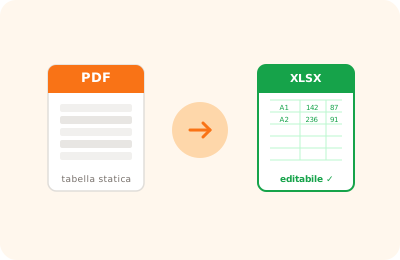
PDF to Excel conversion illustration: PDF table extracted into an .xlsx spreadsheet

Drag the PDF with tables to extract here

or drag the file here

100% private
Instant
Free

or open the full PDF editor for annotations, signatures and much more.

How it works

Upload your PDF

Drag the PDF containing the tables or data to extract. The file never leaves your browser.

Start the conversion

Click "Convert to Excel": the engine automatically detects the rows and columns in the document.

Download the .xlsx file

The Excel spreadsheet is downloaded ready to use in Microsoft Excel, Google Sheets or LibreOffice Calc.

Why OnlinePdfEditor

100% Private

Everything runs in the browser via WebAssembly. Your PDF is never sent to any server.

Instant

No upload, no queue. Processing is local and completes in seconds even for large files.

Free, no tricks

No required account, no credit card, no watermark. Truly free.

Works everywhere

PC, Mac, iPhone, Android — just a modern browser. Safari, Chrome, Firefox or Edge.

Converting a PDF to Excel is useful when you receive reports, price lists or bank statements in PDF format and need to work with the data in a spreadsheet. OnlinePdfEditor extracts tables from the PDF and exports them in .xlsx format, compatible with Microsoft Excel, LibreOffice Calc and Google Sheets.

Conversion is most accurate when the PDF contains tables with well-defined borders and selectable text. PDFs generated from spreadsheet exports typically produce the best results. Conversion happens locally in the browser, without uploading files to external servers.

If the PDF is scanned or tables are present as images, recognition may be less precise. In that case, use the OCR feature first to make the text selectable.

Frequently asked questions

Does it work with PDFs that contain multiple tables?

Yes. The converter analyses the entire document and attempts to reconstruct all detected tables, placing them in separate sections of the sheet.

What happens with PDFs that contain no tables?

If the PDF contains mostly narrative text, the converter extracts the text line by line. The result will be a sheet with the text content in column A, useful as a starting point.

Is the conversion 100% accurate?

Accuracy depends on the quality of the original PDF. PDFs generated by software (not scanned) give excellent results. Scanned or complex-layout PDFs may require manual adjustments after conversion.

Is the PDF file uploaded to a server?

No. The conversion happens entirely in the browser. Your data is safe on your device.

Is the .xlsx file compatible with Google Sheets?

Yes. The .xlsx format is compatible with Microsoft Excel, Google Sheets, LibreOffice Calc and Numbers. You can import it directly into any spreadsheet application.

Ready to start?

Free, in the browser, nothing to install. Upload your PDF and go.

This site uses technical cookies and Google Analytics to improve your experience. & .