Split PDF Online — Extract Pages for Free in Seconds

Split a PDF into multiple files or extract the pages you need directly in the browser. Specify a range (e.g. 1-3, 5, 7-9) and download the pages as a clean new PDF. Works on PC, Mac, iPhone and Android — no installation required.

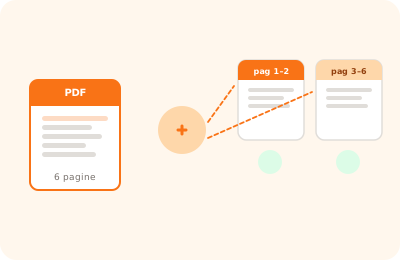
Split PDF tool illustration: PDF document separating into multiple distinct files

Drag the PDF to split here

or drag the file here

100% private
Instant
Free

or open the full PDF editor for annotations, signatures and much more.

How it works

Upload your PDF

Drag the PDF into the upload area or click to select it from your device.

Select the pages

Enter the page range to extract (e.g. "1-3, 5, 8-10") or click a single page thumbnail.

Download the extracted PDF

The new PDF containing only the selected pages is downloaded to your device in seconds.

Why OnlinePdfEditor

100% Private

Everything runs in the browser via WebAssembly. Your PDF is never sent to any server.

Instant

No upload, no queue. Processing is local and completes in seconds even for large files.

Free, no tricks

No required account, no credit card, no watermark. Truly free.

Works everywhere

PC, Mac, iPhone, Android — just a modern browser. Safari, Chrome, Firefox or Edge.

Splitting a PDF is necessary whenever you want to isolate certain pages from a larger document: extracting the pages of a chapter, separating invoices from a bank statement, or creating reduced versions of a manual. OnlinePdfEditor lets you do this in seconds, directly in the browser.

You can select pages individually or define ranges (e.g. 1-3, 5, 8-10). The result is downloaded as a ZIP file containing separate PDFs, or as a single PDF if you select a single range. No files are sent online: everything happens locally via WebAssembly.

Unlike cloud tools that impose page or size limits, here there are no restrictions in the free version for everyday documents.

Frequently asked questions

How do I specify which pages to extract?

Use range notation: "1-3" extracts pages 1, 2 and 3; "1,3,5" extracts pages 1, 3 and 5 individually; "1-3,7-9" combines both approaches. You can also click a single page thumbnail to extract it directly.

Can I split a PDF into individual files?

Yes. You can extract each page as a separate PDF or define multiple ranges and run the operation several times. Each extraction produces a new PDF file.

Is the original file modified?

No. The split operation creates a new PDF without altering the original document. You can repeat the extraction with different ranges as many times as you like.

Does it work on smartphones?

Yes. OnlinePdfEditor is optimised for mobile. You can split PDFs from iPhone or Android using Safari or Chrome, without downloading any app.

Can I extract pages from a password-protected PDF?

Yes: enter the password on the unlock screen, then select the pages to extract normally. The resulting PDF will not have a password.

Ready to start?

Free, in the browser, nothing to install. Upload your PDF and go.

This site uses technical cookies and Google Analytics to improve your experience. & .