Convert TIFF to PDF Online Free — .tiff to PDF in Seconds

Convert TIFF images (.tiff, .tif) into high-quality PDFs directly in the browser. Supports multi-page TIFF: each layer becomes a page in the final PDF. Free, no account, no server upload.
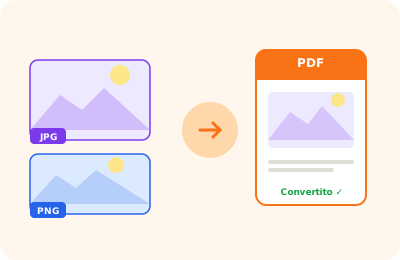
TIFF to PDF conversion illustration: TIFF file converted into a PDF document

Drag your TIFF images here

or drag the file here

100% private
Instant
Free

or open the full PDF editor for annotations, signatures and much more.

How it works

Upload TIFF images

Drag one or more .tiff or .tif files. Multi-page TIFFs are handled automatically.

Convert to PDF

Each image (or layer for multi-page TIFFs) becomes a PDF page at maximum quality.

Download the PDF

The PDF is downloaded directly to your device in seconds.

Why OnlinePdfEditor

100% Private

Everything runs in the browser via WebAssembly. Your PDF is never sent to any server.

Instant

No upload, no queue. Processing is local and completes in seconds even for large files.

Free, no tricks

No required account, no credit card, no watermark. Truly free.

Works everywhere

PC, Mac, iPhone, Android — just a modern browser. Safari, Chrome, Firefox or Edge.

Converting TIFF images to PDF is a common operation in document management and archiving: the TIFF format is used by professional scanners, fax systems and document management software. OnlinePdfEditor converts .tiff and .tif files to PDF, with each image on a separate page.

TIFF supports very high resolution images (300+ DPI) typical of scanned documents. Conversion to PDF preserves the original resolution, producing a document ideal for long-term archiving.

Conversion happens entirely in the browser without transmitting files to external servers.

Frequently asked questions

Does it support multi-page TIFFs?

Yes. TIFF files can contain multiple pages (layers). The tool automatically converts them into separate pages in the PDF.

What is the difference between TIFF and JPG for PDF conversion?

TIFF is a lossless high-quality format often used professionally and medically. JPG is more compressed. Both produce high-quality PDFs.

Can I convert multiple TIFF files into a single PDF?

Yes. Upload multiple TIFF files at once and they will be merged into a single PDF document.

Are my files uploaded to a server?

No. The conversion happens entirely in the browser. Your images never leave your device.

Does it work with black-and-white TIFFs (fax)?

Yes. Black-and-white TIFFs, often used for faxes and scanned documents, are converted correctly.

Does it work on smartphones?

Yes. It works on any modern browser on iOS and Android without installing anything.

Ready to start?

Free, in the browser, nothing to install. Upload your PDF and go.

This site uses technical cookies and Google Analytics to improve your experience. & .